Posts

Showing posts with the label Lesson Ideas

Plickers

Image
As the tech integration guy, it's my job to be a  cheerleader for tech  in your lessons. But that doesn't mean the students (or you) have to be using tech  all  the time.  Sometimes  when students are in the middle of some high-level thinking, the  last thing  we would want is for them to drag out their tech for a simple online quiz. On the other hand, using  digital tools for quick check-ins  has  major  advantages, like letting kids try out a word problem or check a concept: you  find out right away  who gets it and who doesn't, without having the  hassle and delay  of collecting, correcting, and passing back. PLICKERS  are quietly making their known throughout schools as the  best of both worlds . Plickers are  printable cards  that students use to answer questions. Every student in class has  their own card  with its own unique code printed on it. Students...

Digital Note Cards

Image
Just a quick one today: a  new trick for an old technique: making note cards. Sometimes it is appropriate for your students to make  a set of note cards .The classic "old-school" example is teaching students to write  research papers : they would put  sources, quotes, and other important info  on index cards, and could then  sort the cards  afterward to organize the sections of their paper. Even for writing without research source, some teachers would have students make note cards to help  organize content paragraphs  of a longer piece of writing. Note cards are great for encouraging thoughtful planning before you start "just writing stuff down" in your document. ​"Is this enough note cards for my 3 paragraph essay?" The  biggest advantage  of note cards, of course, is their  ease of re-ordering . You can just flip through the cards around and keep re-arranging until you are happy with their sequence. ...

Newsela - Current Events at Different Reading Levels

Image
An important part of being a  good citizen  is keeping up-to-date on  current events . As adults, we use a variety of  news sources  to stay aware of what is going on in politics, education, business, and whatever other topics we are interested in. A great way to  encourage this responsible behavior  is to  discuss current events  in class, and give students  practice reading  the news. However, our students have a  wide range of reading abilities , and  not all  of them can read an article with the  language density  of the Wall Street Journal.  That's why I like  Newsela .  Newsela  is an online news source that re-writes  real, current news articles  at several different reading levels. For example,  this morning's   article about the Tax Bill  before congress:     Original Reading Level Tax bill clears Senate in big boost for ...

Student-Made Formative Assessments: 12 Days of Techmas, Day 6

Using technology is not always about cool, new apps -- sometimes, it's about creative uses of the tools you already have. Today's tip is a  new use  of an  old tool : using Google Forms for formative assessments. 12   Days  of Techmas,  Day  6: Student-Made Formative Assessments Small-scale formative assessments  are important checking in on student learning. A common use of formative assessments is for  vocabulary review  or  basic factual understanding  and recall.  Google Forms  is a great tool for this, especially now that Google has added a  Quiz feature  that corrects students responses.  On the other hand,  who wants to make a whole bunch of tiny vocab quizzes ? Like you don't have enough to do already, right? So today's tip is a way to use technology to  flip the responsibility :  ** Why not  have your  students  make the quizzes ?  Studen...

Kahoot!: 12 Days of Techmas, Day 7

Image
Kahoot  is the cool new review app that is  raging through classrooms  across the country. It combines quick review question quizzing with the  best elements of gaming. ​ The idea is that you make  short multiple choice questions  based on quick recall -- vocabulary review is a great example. On  your computer and projector , you display the question, and students can respond on  their laptops or smartphones . There is music and a timer, and the students get points based on how quickly they answer. What's difficult to express in a post like this is  how fun it is for students  to play. The Kahoot makers have really added some of the  secret sauce that makes video gaming fun , and it has a  wide appeal  for grades 3- 12 . Don't let the bright colors fool you --  high school age kids  really enjoy reviewing with Kahoot (my 9th grade daughter and her friends say that Kahoot reviews are the best part of...

Semi-public Speaking: 12 Days of Hanutech, Day 3

Image
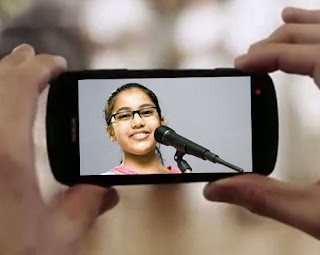
12 Days of Hanutech, Day 3: Semi-public Speaking Today's Tech Treat is a  lesson idea  for a way to add some variety to homework: have students  record a speech . The ability to  write and deliver a well-constructed, well-considered speech  is an important part of 21st Century learning (actually, it was an important part of all of the other centuries as well!). Delivering a speech  forces the speechwriter to reflect  on their word choice, organization, and language construction in ways that are similar to but  critically different  from writing text.  Unfortunately, the traditional "oral report" is a huge time-killer in class, and speaking in front of peers can be stressful for many students. What's great about our technology tools is that students can  easily record themselves  with laptops and smartphones, and upload and share these videos with you digitally. This means students can  deliver their spe...

Google Drawings! 12 Days of Techmas, Day 10

Image
To celebrate the holiday season, I'll be sending out  12   Days  of easy classroom tech ideas you can use right away!   Weekend Edition! Day  10: Google Drawing A little used feature of the Google Apps system is  Google Drawings . I think this is because of its name: it  seems to imply free-hand drawing  on a computer, which may seem of limited use to most teachers. A Barely-Educational Example  (Keep reading for better examples!) However, free-hand is the  least  useful tool in Google Drawings. Where it really shines is in  free-layout text and shape drawing .  Google Drawings is  perfect for making concept maps and graphic organizers . You can make an organizer and share it with your students, or they make make their own.   Maybe these examples I whipped up might seem more educational: Concept Map about Fine Arts [Ironically, the ...

22 BYOD Activities That Work With Smartphones

Image
BYOD is not just about students carrying laptops and tablets. BYOD allows us to rethink the power of having a tiny, portable computer that is constantly connected to the internet. There are so many ways that teachers can use smartphones to enhance their lessons and curriculum. Sure, you  wouldn't  want to type a Master’s thesis on a smartphone, but you can certainly author a few basic paragraphs to begin your rough draft. Below is a list of middle school and high school activities that you can use in your classroom that work well with smartphone technology. Basic research Internet scavenger hunt : Students use basic Google searches to find information. “Name 2 US presidents who were unmarried while in office.” Givens in word problems : Students look up missing parameters in word problems. “Calculate the momentum of a baseball thrown at the speed of the world’s fastest pitch.” Fact checking : During class, students can be responsible for finding/verifyin...

17 Classroom Tricks for your Whiteboard, Projector, and Doc Camera

Image
The combination of whiteboards, projectors, and document cameras is more powerful than many teachers realize. In the hectic rush of our everyday teaching, it's too easy to fall back on using these powerhouse tools as little more than digital overhead projectors.  So, here's what I call some "mini-tricks" to get more out of your whiteboard setup! Take a picture!  Your document camera is great for taking a snapshot of that worksheet you are projecting.  Many have a snapshot button right on the case; others use a little software program (ELMOs use ImageMate). Take lots of pictures! Are you presenting your notes via the document camera?  Take a quick picture for every page.  You can upload the pictures to Google Drive, DropBox, or Moodle, and share them with your students. Take video!  Most document cameras have an adjustable lens that can face horizontally.  It is a snap to record snapshots or videos of your students with the camera's software...

Student Projects with Google Sites

Image
Good teachers are always looking for ways to create assessments that are both rigorous and authentically real-world.  Creating a web site about a research topic can be a 21st Century way to combine academic research with modern online presentation tools. Google Sites is a simple website creator, that allows a user easily to create pages, a navigation menu, and many of the site features in modern websites.  It is especially good for student projects in schools that use Google Apps, because of the privacy settings: students can share their project with just their teacher, or with partners, or with the whole class, without making the page public.

Brainstorming Sessions with Google Documents

Brainstorming, the act of writing down ideas quickly without judging their appropriateness is a common tool for beginning a lesson.  It is traditionally done with a class by having the teacher write ideas on a whiteboard or easel paper as the class calls out suggestions. With Google Docs, members of the class can skip the "middle man" and put their ideas directly into a document.* This lets everyone contribute, not just the loudest or most persistent students. Imagine Mrs. App's Biology class is beginning a lesson on the ethics of cloning technology.  She is going to use a shared Google Document as both a warm-up activity and a brainstorming session. Before class, Mrs. App  creates a Google Document  and  shares  it with her students.  In the document, she makes two phrases:  "Reasons why cloning technology may be beneficial" and "Reasons why cloning technology may be a bad idea." As a warm-up activity, Mrs. App's students  open ...